Trusted by5,000+users

Instant Answers: AI vision app for blind and low vision iPhone users

For blind and low vision iPhone users. One tap. About two seconds.

Speakaboo is an AI vision assistant for blind and low-vision iPhone users. Get a detailed description of what your camera sees in seconds: medicine labels, street signs, faces, food, packaging, currency, and surroundings. Ask follow-up questions in your own words. Works with the Action Button, Lock Screen and Siri Shortcuts. Trusted by more than 5,000 blind and low-vision iPhone users. Free to download with optional premium features.

User reviews include: This app is a game-changer. I love this app. This app has earned a place among my lock-screen shortcuts. I use BeMyEyes, Aira, Seeing, all of the popular apps. This app outdoes them all. This is my favourite AI app so far. I love how quick and simple it is to use.

Works online & offline

Made for real moments

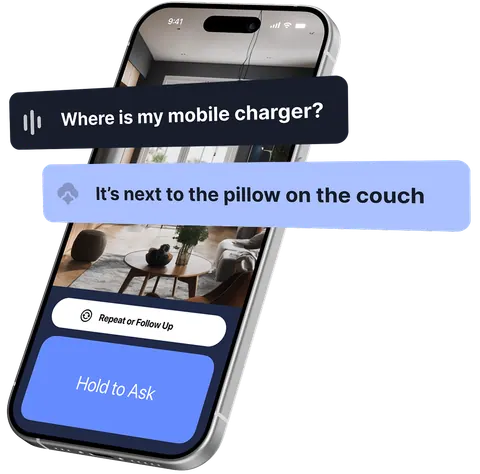
Just ask, and you'll have your answer in seconds. At home, at work, wherever you are.

~2s*
to an answer
1 tap
to ask, anywhere
Instant
follow ups
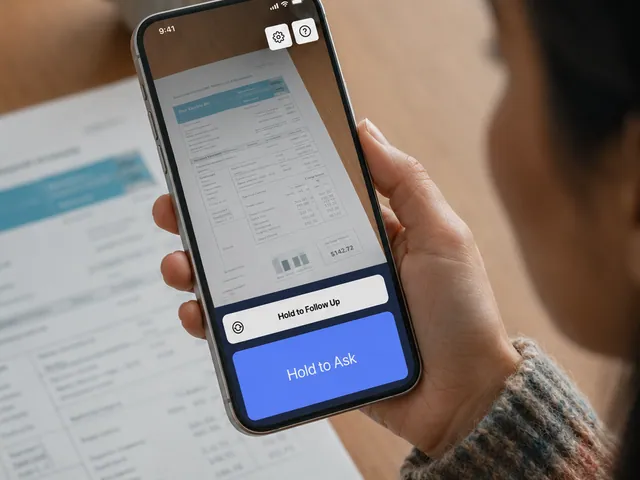
A person holds an iPhone running Speakaboo over a printed utility bill, the Hold to Ask button on screen.

Read

Read anything out loud

Point your camera at a bill, a letter, or a menu. Speakaboo reads it back in seconds, then answers whatever you ask next.

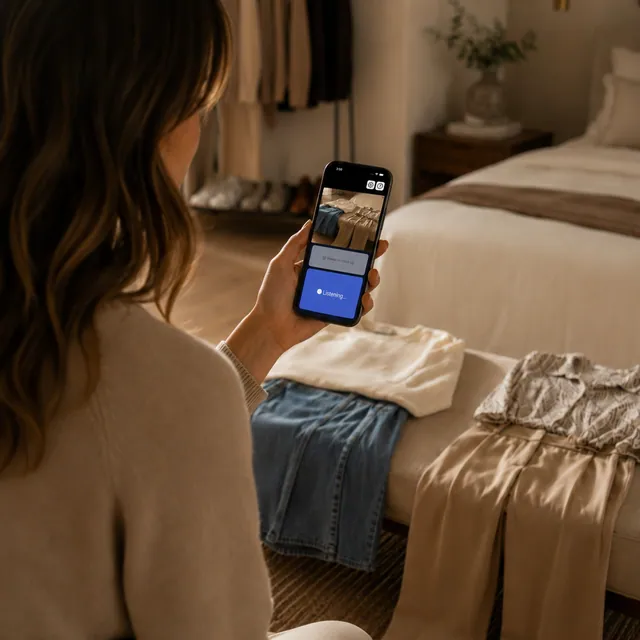
A person lays a sweater, jeans, and trousers across a bench at the foot of a bed.
Seated by the bench, the same person points their iPhone at the clothes as Speakaboo listens.

Match

Get dressed with confidence

Lay out a few options and Speakaboo talks you through the colors and patterns in a second, so you can wear what feels right.
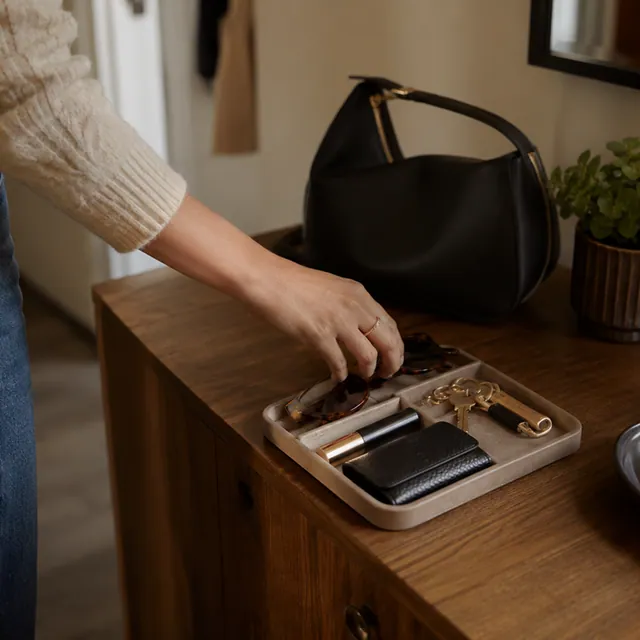
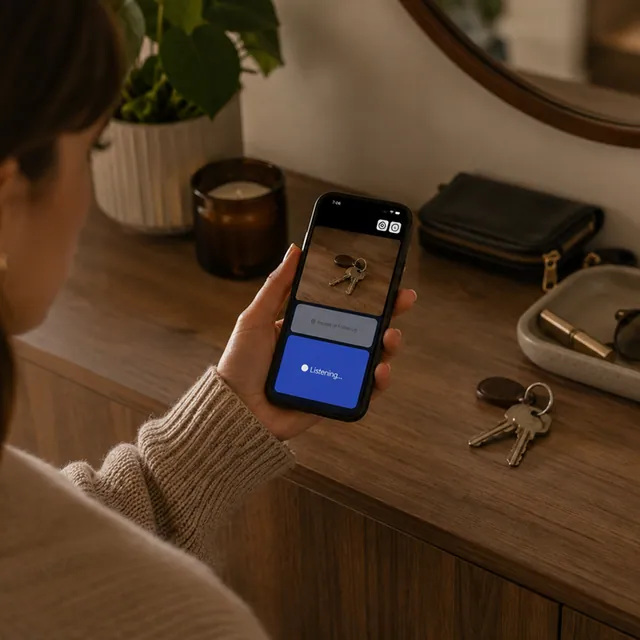
A hand reaches into an entryway tray holding keys, a wallet, and cards beside a handbag.
An iPhone running Speakaboo is held over the console as it identifies the keys and wallet.

Organize

Keep track of your things

Keys, wallet, cards. A quick point and Speakaboo tells you what's on the table and where, so you're out the door in seconds.
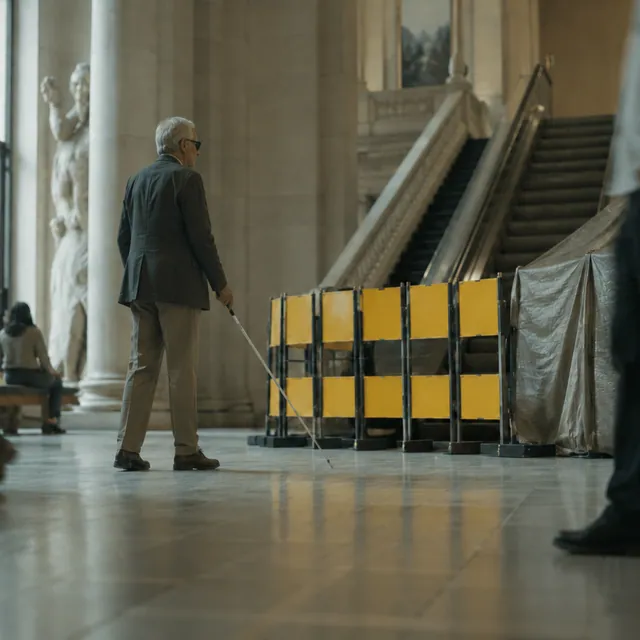

A traveler with a white cane crosses a grand train station hall toward the escalators.
The traveler raises an iPhone with Speakaboo to read the departures sign above the platform.

Explore

Find your way, anywhere

Hold up your phone and Speakaboo reads the signs around you in a moment, so you can keep moving with confidence.

Top Shortcuts

Discover the most popular curated commands by our community.

Showing 33 shortcuts sorted by newest

Screenshot Markup

Use markup to show Speakaboo what to focus on

By Benvision. 24 installs, 0 uses

Selfieboo

Captures and describes a selfie with your front camera

By Benvision. 42 installs, 0 uses

Screenshot Text Reader

Reads out all of the text on your phone screen.

By Benvision. 50 installs, 0 uses

Frequently Asked Questions

Need help with Speakaboo?

Speakaboo is a free iPhone app that tells you what your camera is pointing at. You tap once, it describes what it sees in about two seconds, and you can ask follow-up questions in plain language. It's made for blind and low-vision people who just want a quick answer without any fuss.

Mostly speed. Speakaboo gives you an AI answer in about two seconds from a single tap, with no menu to dig through and no waiting for a volunteer to pick up. Be My Eyes is great when you actually want a real person on the line; Speakaboo is for the quick, everyday "what is this?" moments. Plenty of people keep both.

Seeing AI makes you pick a mode first. Speakaboo skips all that: you tap once, get an answer, and just ask whatever else you're wondering in your own words. The whole point is to be fast and stay out of your way.

It can be, depending on what you're after. Speakaboo is free, runs on the iPhone you already have, and is built to be fast: one tap and an answer in a couple of seconds. Aira puts you through to paid human agents, and Envision leans more toward reading documents and its smart glasses. If you mainly want instant answers without waiting or paying by the minute, Speakaboo is a good fit.

Yep. It's free to download, and you get 40 free questions a day, which is plenty for most people. If you need more, Premium ($4.99/month or $49.99/year) lifts the daily limit and adds a few extras.

Yes, and it's the fastest way to use it. On any iPhone with an Action Button (15 Pro and newer), you can set it so one press opens the camera and starts listening. You can also add it to your Lock Screen or a Home Screen widget, or just ask Siri.

It does. Everything works offline too: when there's no connection, Speakaboo switches to AI running right on your phone. Answers are a little less accurate that way, but you're never stuck without it.

Completely. It was built with VoiceOver users from the start, so everything is properly labelled and the whole camera flow works by touch. That was really the whole reason we made it.

Usually about two seconds. Follow-up questions tend to come back even quicker, since it's already looking at the same thing.

Yep. Point it at text and it reads it out loud: mail, menus, labels, packaging, signs, even handwriting. It can tell you things like what a banknote is or what's on a medicine box, and you can ask follow-ups about any of it.

Not yet, it's iPhone-only for now and we don't have a date to share. If you want a heads-up when an Android version lands, sign up at speakaboo.app or follow the Speakaboo channel on YouTube.

Yes. The camera and mic only switch on while you're holding the button to ask. Photos go to AI services just long enough to describe them, and we don't use your photos to train any models. The full details are in our privacy policy.

Definitely, a lot of people do exactly that. The idea is you set it up once and it just works: install it, put it on the Action Button or Lock Screen, show them the "hold and ask" bit once, and they're good to go on their own.

The easiest way is to grab one of the ready-made shortcuts at speakaboo.app/shortcuts. They're already set up, so you just add them to your Action Button or Lock Screen. If you'd rather build your own, you can do that in the Shortcuts app using Speakaboo's actions.

Please do. There's a "Create a Shortcut" link at speakaboo.app/shortcuts where you can submit it, and once it's approved it goes in the public library for everyone else to use.

Pretty well, though a loud street or a busy station can throw it off. If you're somewhere noisy, holding the phone a bit closer or using headphones with a mic makes a big difference.